Hạ tầng GPU Cloud chuyên nghiệp cho AI & Deep Learning.
Chúng tôi tập trung vào con người và niềm vui sáng tạo.
iRender AI tối ưu hóa toàn diện cho các tác vụ Scientific Computing, Machine Learning và Deep Learning chuyên sâu.
Chúng tôi hỗ trợ hoàn hảo với tất cả các AI IDEs & Libraries hàng đầu thế giới hiện nay như: Python, PyTorch, TensorFlow, JAX, Hugging Face, Jupyter, Anaconda, LangChain, LlamaIndex, vLLM, Ollama cùng nhiều hệ sinh thái mã nguồn mở khác.
Khai phá sức mạnh phần cứng, “Happy Inferencing”.

iRender AI: Sức mạnh điện toán nguyên bản trên bàn làm việc của bạn.
Giải phóng hoàn toàn áp lực cho hệ điều hành cục bộ và tăng tốc tối đa cho máy tính của bạn bằng cách chuyển dịch toàn bộ AI model workloads sang nền tảng GPU Cloud để tiến hành Run & Deploy & Scale. Hệ thống cam kết bảo hộ Sovereign AI với toàn bộ dataset và trọng số mô hình được lưu trữ trọn vẹn trong biên giới quốc gia.
Chỉ với vài phút làm quen để kết nối vào hạ tầng siêu tính toán GPU đạt tiêu chuẩn quốc tế Tier 3 Data Center. Một nền tảng GPU Cloud cấp doanh nghiệp được quản lý toàn diện từ desktops, terminals cho đến hệ thống máy chủ. Hãy tận hưởng sự tự do tuyệt đối và khai thác lợi thế co giãn hạ tầng phần cứng một cách dễ dàng, tối ưu chi phí ngay từ chính máy trạm của bạn.
Phá bỏ mọi rào cản tài nguyên, tối ưu hóa dòng tiền doanh nghiệp và bắt đầu chu kỳ zero-lag inference.

Tích hợp sẵn hệ thống môi trường mẫu (AI template workload) với các AI IDEs & Libraries chuyên sâu như Python, PyTorch, TensorFlow, JAX, Hugging Face, Jupyter, Anaconda, LangChain, LlamaIndex, vLLM, Ollama cùng hệ sinh thái liên tục cập nhật. Bên cạnh đó, hệ thống trao cho bạn sự tự do tuyệt đối để tự cài đặt mọi AI IDEs và cấu hình driver theo ý muốn. Dễ dàng co giãn hạ tầng siêu tính toán từ chính máy trạm của bạn một cách tiết kiệm và linh hoạt nhất. Tiện nghi tối đa, thân thuộc như máy cục bộ!
Cùng iRender AI tăng tốc quy trình & “Happy Inferencing”.





Tích hợp 5 phân hệ AI Templates sẵn sàng

Hệ sinh thái AI Templates có sẵn
Khởi tạo môi trường lập trình, xử lý đồ họa và ứng dụng AI trọn gói chỉ với một cú click chuột.
| Nhóm Giải Pháp | Nền tảng tích hợp sẵn | AI Node Template & Ứng Dụng Thực Tế |
|---|---|---|
| Core Frameworks Nghiên cứu & Phát triển |
PyTorch Enterprise, TensorFlow Enterprise, CUDA, cuDNN, Anaconda, JupyterLab, Hugging Face Hub CLI. | • Môi trường lõi: Đồng bộ hoàn hảo driver phần cứng chuyên dụng cấp doanh nghiệp giúp giải phóng tối đa sức mạnh tính toán. • Công cụ lập trình: Sẵn sàng môi trường viết code học máy và quản lý thư viện khoa học dữ liệu tối ưu luồng. • Kho tài nguyên: Hỗ trợ gọi lệnh tải nhanh mô hình và bộ trọng số trực tiếp từ máy chủ quốc tế về máy vật lý. |
| LLM Inference & Agent Ứng dụng ngôn ngữ & Trợ lý |
vLLM, TGI, Ollama, LM Studio, Milvus, Qdrant, ChromaDB, BGE-Large Embedding & Reranker, Dify, Langflow. | • Tăng tốc suy luận: Triển khai mô hình ngôn ngữ lớn (Llama 3, Qwen) mượt mà với cấu hình hiệu năng cao và gọi API tốc độ. • Hạ tầng RAG doanh nghiệp: Tích hợp sẵn cơ sở dữ liệu chuyên dụng giúp lưu trữ và tìm kiếm dữ liệu chuỗi số (Vector) tri thức nội bộ. • Mồi sẵn mô hình phụ trợ: Tải sẵn các bộ trọng số hỗ trợ tăng tối đa độ chính xác khi chatbot trích xuất dữ liệu tiếng Việt. • Giải pháp Low-Code: Hỗ trợ giao diện kéo thả, tự xây dựng AI Agent bảo mật tuyệt đối trên hệ thống máy vật lý độc lập. |
| Generative AI & Creative Sáng tạo nội dung ảnh/video |
ComfyUI, Automatic1111, Stable Diffusion WebUI, Fooocus, Kohya_ss, SDXL, Flux.1 Base Models. | • Đồ họa AI chuyên nghiệp: Cài đặt sẵn hệ thống node kéo thả và giao diện quốc dân để render nhanh asset Game, nhân vật và phim. • Giao diện tối giản: Trải nghiệm tạo hình ảnh mượt mà, dễ dùng như Midjourney ngay trên tài nguyên phần cứng riêng biệt. • Huấn luyện cá nhân: Sử dụng bộ công cụ chuyên dụng để tự huấn luyện LoRA cho khuôn mặt mẫu, sản phẩm độc quyền thương hiệu. |
| Voice AI & Audio Xử lý âm thanh & Giọng nói |
Kokoro TTS, Fish Audio, OpenAI Whisper, Real-time Streaming Libraries. | • Chuyển văn bản thành tiếng: Sinh giọng nói nhân tạo tự nhiên, có biểu cảm sâu sắc phục vụ tổng đài tự động. • Nhận diện và dịch âm: Khởi chạy framework bóc tách băng ghi âm, cuộc gọi thành văn bản độ chính xác cao với độ trễ siêu thấp. • Tích hợp luồng thoại: Sẵn sàng kết nối dữ liệu âm thanh trực tiếp phục vụ hệ thống VoiceBot tương tác thời gian thực. |
| Computer Vision & OCR Thị giác máy tính & Số hóa |
YOLOv11 (Ultralytics), PaddleOCR, EasyOCR, OpenCV. | • Nhận diện vật thể: Tối ưu cho luồng dữ liệu camera giám sát thông minh, trích xuất thực thể, nhận diện phương tiện và con người. • Số hóa tài liệu: Tự động quét, nhận diện chữ viết và bóc tách cấu trúc dữ liệu từ hóa đơn, giấy tờ doanh nghiệp. |
iRender AI: Chúng tôi khác biệt
iRender AI: Linh hồn thuần khiết của hiệu năng GPU.
Mang sức mạnh điện toán nguyên bản đến ngay bàn làm việc của bạn.
Tại sao iRender AI với mô hình Dedicated IaaS là lựa chọn tối ưu thay thế Shared Docker Container trong vận hành AI doanh nghiệp?
Trong chiến lược tối ưu hóa hạ tầng trí tuệ nhân tạo, mô hình Shared Docker Container (Serverless chia sẻ tài nguyên) thường được cân nhắc nhờ tính tiện lợi ban đầu. Tuy nhiên, khi đưa các kiến trúc LLM, GenAI hoặc hệ thống suy luận (Inference Stack) quy mô lớn vào vận hành thực tế, mô hình này bộc lộ những hạn chế cố hữu về mặt kiến trúc.
iRender AI giải quyết triệt để các rào cản trên bằng giải pháp Dedicated IaaS (Hạ tầng GPU vật lý độc lập), mang lại những lợi thế cốt lõi về hiệu năng, bảo mật và tính tự chủ cho cả các tác vụ xử lý Mô hình ngôn ngữ lớn (LLM) lẫn Thị giác máy tính (Computer Vision):
1. Đảm bảo tài nguyên tính toán độc quyền, loại bỏ rủi ro tranh chấp (Resource Contention)
• Hạn chế của Shared Docker: Vận hành trên cơ chế chia sẻ chung một cụm máy chủ vật lý. Khi các container láng giềng chạy tác vụ tinh chỉnh cường độ cao, hệ thống của doanh nghiệp sẽ gặp hiện tượng nghẽn băng thông, làm tăng độ trễ (latency), sụt giảm tốc độ trả phản hồi (throughput/tokens per second) của các mô hình LLM, sập chatbot hoặc gây gián đoạn luồng xử lý Camera AI.
• Lợi thế từ iRender AI: Cam kết quyền sở hữu độc quyền 100% hiệu năng từ hạ tầng siêu tính toán hiệu năng cao với các cấu hình mạnh mẽ như 8× RTX 4090 hoặc RTX 5090. Toàn bộ hệ thống lõi CUDA và Tensor Cores được giải phóng tối đa cho duy nhất luồng công việc (workload) của dự án, đảm bảo tốc độ huấn luyện và suy luận luôn đạt mức cực đại, ổn định tuyệt đối.
2. Toàn quyền quản trị Root, tối ưu hóa sâu hệ sinh thái phần mềm AI và LLM
• Hạn chế của Shared Docker: Người dùng bị cô lập trong cấu hình driver NVIDIA và phiên bản CUDA do nhà cung cấp chỉ định. Điều này cản trở việc cập nhật các framework tối tân, tối ưu hóa cấu trúc prompt nâng cao qua DSPy, hay triển khai các thư viện tăng tốc suy luận LLM chuyên sâu như vLLM, Ollama, hay DeepSpeed.
• Lợi thế từ iRender AI: Cấp quyền truy cập root cao nhất vào hệ điều hành Gpu Cloud Workstation. Doanh nghiệp toàn quyền tùy biến môi trường (Ubuntu/Windows), chủ động cập nhật CUDA Toolkit phiên bản mới nhất nhằm tương thích hoàn hảo với các hệ sinh thái mã nguồn mở thời thượng như Hugging Face, LangChain, LlamaIndex, OpenCV hay JAX.
3. Thiết lập môi trường bảo mật cô lập, bảo vệ trọng số và dữ liệu độc quyền
• Hạn chế của Shared Docker: Việc chuyển giao các mã nguồn độc quyền, trọng số mô hình (model weights), cơ sở dữ liệu tri thức của doanh nghiệp (cho hệ thống RAG) hoặc dữ liệu camera nhạy cảm lên môi trường chia sẻ chung tiềm ẩn các nguy cơ rò rỉ thông tin và tổn hại an ninh mạng.
• Lợi thế từ iRender AI: Kiến trúc ảo hóa độc lập thiết lập một không gian lưu trữ và xử lý hoàn toàn biệt lập. Toàn bộ tài sản trí tuệ, bộ dataset huấn luyện và dữ liệu đầu vào của dự án được bảo vệ nghiêm ngặt, đáp ứng các tiêu chuẩn an toàn thông tin khắt khe nhất của các sản phẩm AI thương mại.
4. Khắc phục triệt để giới hạn VRAM khi xử lý các mô hình ngôn ngữ lớn (LLMs)
• Hạn chế của Shared Docker: Giới hạn định mức bộ nhớ VRAM trên mỗi container chia sẻ thường xuyên dẫn đến lỗi sập nguồn do tràn bộ nhớ (Out of Memory – OOM) khi doanh nghiệp tăng kích thước dữ liệu (batch size) hoặc nạp các mô hình ngôn ngữ lớn, mô hình thị giác (Vision-Language Models) hàng tỷ đến hàng chục tỷ tham số.
• Lợi thế từ iRender AI: Sở hữu dung lượng VRAM vượt trội cùng băng thông nội bộ cực lớn giữa các cụm Multi-GPU, hệ thống dễ dàng xử lý các mô hình LLM khổng lồ, vận hành mượt mà các kho dữ liệu nhúng (Vector Database), tối ưu hóa kỹ thuật Fine-tuning (LoRA/QLoRA) hoặc xử lý đồng thời hàng nghìn luồng dữ liệu Camera AI chất lượng cao.
5. Hạ tầng Data Center tiêu chuẩn Tier 3 quốc tế, cam kết Uptime 99.98%
• Hạn chế của Shared Docker: Các gói giải pháp container giá rẻ thường vận hành trên các trung tâm dữ liệu không đồng bộ, dễ chịu ảnh hưởng bởi sự cố nguồn điện hoặc mất kết nối mạng cục bộ, gây gián đoạn trực tiếp tới dịch vụ AI và các ứng dụng chatbot trực tuyến của doanh nghiệp.
• Lợi thế từ iRender AI: Toàn bộ hệ thống máy chủ của iRender AI được đặt tại các Trung tâm dữ liệu đạt chuẩn quốc tế Tier 3. Với kiến trúc nguồn điện dự phòng N+1, máy phát điện công nghiệp và đường truyền băng thông rộng, chúng tôi đảm bảo tỷ lệ uptime đạt 99.98%, duy trì hoạt động liên tục 24/7/365 cho các giải pháp API suy luận, chatbot doanh nghiệp và hệ thống giám sát thông minh.
6. Đồng hành cùng chiến lược AI chủ quyền (Sovereign AI), bảo mật dữ liệu trong nước
• Hạn chế của Shared Docker quốc tế: Các nền tảng nước ngoài yêu cầu chuyển dịch luồng dữ liệu, lịch sử chat của khách hàng và thông tin bảo mật của doanh nghiệp ra khỏi biên giới Việt Nam, gây khó khăn cho việc tuân thủ Luật An ninh mạng và Nghị định bảo vệ dữ liệu cá nhân (Nghị định 13/2023/NĐ-CP).
• Lợi thế từ iRender AI: iRender AI làm chủ hạ tầng máy chủ đặt 100% tại Việt Nam. Toàn bộ dữ liệu huấn luyện LLM, dữ liệu doanh nghiệp và vận hành được lưu trữ trọn vẹn trong biên giới quốc gia. Đây là bảo chứng pháp lý vững chắc giúp doanh nghiệp tuân thủ tuyệt đối các quy định của chính phủ, bảo vệ an ninh thông tin và khẳng định chủ quyền công nghệ AI của người Việt.
7. Uy tín bảo chứng từ kinh nghiệm toàn cầu, đội ngũ chuyên gia và hệ thống giải thưởng danh giá
• Hạn chế của Shared Docker: Các đơn vị cung cấp container serverless non trẻ thường thiếu hụt kinh nghiệm thực tế và không có đội ngũ kỹ sư túc trực xử lý sự cố driver phần cứng chuyên sâu, gây rủi ro gián đoạn và chậm trễ tiến độ dự án của doanh nghiệp.
• Lợi thế từ iRender AI: Khách hàng được đồng hành cùng đơn vị có nhiều năm kinh nghiệm cung cấp dịch vụ hạ tầng cho tệp khách hàng toàn cầu từ hơn 100 quốc gia. Hệ thống được vận hành bởi đội ngũ chuyên gia công nghệ mạnh mẽ, làm chủ sâu kiến trúc siêu tính toán và tự hào sở hữu bộ sưu tập giải thưởng uy tín trong nước và quốc tế bao gồm:
– Giải Vàng Quốc Tế Gold Stevie® Award cho hạng mục Dịch vụ hạ tầng IaaS tốt nhất thế giới.
– Cú đúp Giải Thưởng Sao Khuê cho nhóm giải pháp Khởi nghiệp số và dịch vụ Điện toán đám mây & Dữ liệu lớn.
– Top 10 ICT Vietnam cho hạng mục Doanh nghiệp Startup công nghệ số xuất sắc nhất.
iRender AI: Cấu hình tối ưu cho từng AI Model Workloads
iRender AI: Cấu hình tối ưu cho luồng công việc AI/Deep Learning
Hướng dẫn giúp từng phân khúc khách hàng lựa chọn cấu hình Dedicated IaaS tối ưu từ 1 đến 8 GPU.
| Phù hợp | Đặc thù công việc & Workloads | Cấu hình iRender AI đề xuất |
|---|---|---|
| Lập trình viên độc lập, Studio nhỏ (Developers, AI Startups) |
Single-GPU độ trễ thấp Tác vụ suy luận (vLLM, Ollama) hoặc sinh ảnh qua Stable Diffusion/ComfyUI. GPU Workstation độc lập loại bỏ rủi ro nghẽn mạch của Docker Shared. |
Gói: 1x GPU Workstation • GPU: 1x RTX 4090 (24GB VRAM) / RTX 5090 (32GB VRAM) • CPU: AMD Ryzen™ Threadripper™ PRO 3955WX • RAM: 256GB | Toàn quyền quản trị Root. |
| Doanh nghiệp phần mềm, Tích hợp hệ thống (System Integrators) |
Băng thông giải mã luồng video lớn Vận hành Camera AI, thị giác máy tính giải mã luồng RTSP (OpenCV). Yêu cầu máy chủ đặt tại Data Center Tier 3 chạy ổn định 24/7. |
Gói: 2x GPU Workstation • GPU: 2x RTX 4090 (Tổng 48GB VRAM) / RTX 5090 (Tổng 64GB VRAM) • CPU: AMD Ryzen™ Threadripper™ PRO 3955WX tối ưu đa luồng video mượt mà • Hạ tầng: Đặt tại Trung tâm dữ liệu Tier 3 với cam kết Uptime 99.98%. |
| Studio đa phương tiện, Viện nghiên cứu (Creative Agencies, R&D Labs) |
Tính toán song song lô dữ liệu lớn Sản xuất tài nguyên Generative AI, phim quảng cáo, chạy script kết xuất hình ảnh hoặc chạy các mô phỏng khoa học phân cấp. |
Gói: 4x GPU Workstation • GPU: 4x RTX 4090 (Tổng 96GB VRAM) / RTX 5090 (Tổng 128GB VRAM) • Tối ưu thời gian xử lý các batch workloads quy mô lớn, không lo tràn bộ nhớ cache. |
| Khối Ngân hàng, Doanh nghiệp lớn (Banking, Enterprises, Governments) |
Tối mật thông tin & AI Chủ Quyền Vận hành hệ thống tri thức nội bộ RAG (LlamaIndex), Vector DB chứa tài liệu nhạy cảm. Bắt buộc dữ liệu phải lưu trữ biệt lập hoàn toàn trong nước. |
Gói: 6x GPU Workstation • Hạ tầng: Cụm máy chủ vật lý độc lập đặt 100% tại Việt Nam. • Pháp lý: Tuân thủ tuyệt đối Luật An ninh mạng và Nghị định 13 bảo vệ dữ liệu khách hàng (Sovereign AI). |
| Đội ngũ kỹ sư AI chuyên sâu (Data Scientists, MLOps Engineers) |
Huấn luyện mô hình lớn (LLMs Fine-tuning) Tinh chỉnh tham số LoRA/QLoRA trên các tập dataset khổng lồ. Đòi hỏi lượng VRAM tối thượng, loại bỏ hoàn toàn lỗi tràn bộ nhớ (OOM) của Docker Shared. |
Gói: 8x GPU Workstation• GPU: 8x RTX 4090 song song (192GB VRAM) / RTX 5090 (256GB VRAM). • Giải phóng băng thông liên kết card, toàn quyền cài CUDA Toolkit bản mới giúp ép chu kỳ train từ hàng tuần xuống vài giờ. |
iRender AI: Khởi động nhanh
iRender AI – GPU Cloud Hiệu năng cao cho AI & Deep Learning.
Làm quen dễ dàng trong vài phút, vận hành tối ưu.
1. Register
Create an account tại đây. Vui lòng điền thông tin đầy đủ & chính xác để hệ thống gửi liên kết đến email (hoặc mã code đến số điện thoại) của bạn.
Sau khi kích hoạt tài khoản, bạn có thể dễ dàng đăng nhập trên phiên bản Web app hoặc tải ứng dụng All-in-One hỗ trợ đầy đủ các hệ điều hành Ubuntu, Windows, và macOS.
Nếu không nhận được “Verify email” trực tiếp trong Inbox, bạn nên kiểm tra cả thư mục “Spam” nữa nhé.
2. Create new system image
Đăng nhập bằng thông tin tài khoản của bạn và Tạo một “image(AI template workload)” hệ thống mới để thiết lập môi trường làm việc độc lập của riêng bạn và tái sử dụng bất cứ lúc nào: khi bạn hoàn thành công việc, mọi dữ liệu sẽ được lưu lại và tự động tải lên khi bạn bật server ở lần kế tiếp. Chúng tôi cung cấp sẵn các môi trường AI cấu hình sẵn (AI template workload) tích hợp toàn diện các phần mềm AI hot nhất hiện nay như: PyTorch, TensorFlow, Jupyter, Anaconda, ComfyUI, Automatic1111, Ollama, vLLM, LM Studio, Hugging Face,…
Tiện Lợi và Quen Thuộc!
3. Connect & Setup
Bạn sẽ được cung cấp một tệp .rdp (Remote Desktop Connection) kèm theo thông tin đăng nhập để kết nối trực tiếp vào máy chủ và cấu hình theo ý muốn.
Bạn có thể sử dụng Remote Desktop Connection hoặc bất kỳ phương thức kết nối nào khác như: AnyDesk Remote, SSH, Console, kết nối trực tiếp từ Jupyter Notebook, Terminal,…
Hoặc bạn có thể yêu cầu chúng tôi cấu hình sẵn để thuận tiện nhất cho công việc của mình. Đội ngũ hỗ trợ của chúng tôi luôn sẵn sàng phục vụ 24/7.
4. Transfer Big data
Bạn có thể truyền tải dữ liệu lớn trực tiếp lên máy chủ bằng ứng dụng truyền tải chuyên dụng của iRender AI (sFTP/FTP), hoặc các công cụ phổ biến như CyberDuck, FileZilla, các dịch vụ đám mây như Dropbox, Google Drive, OneDrive… hoặc sao chép trực tiếp qua RDP.
Đặc biệt, nhờ phương thức truyền tải dữ liệu độc quyền và duy nhất trên thế giới của chúng tôi, bạn có thể truyền tải tệp ngay cả khi máy chủ đang tắt, giúp tiết kiệm tối đa chi phí.Hơn nữa, iRender AI (sFTP/FTP) hỗ trợ toàn diện cho quy trình truyền tải và đồng bộ các tập dữ liệu lớn (Large-scale AI Datasets), bao gồm kho dữ liệu hình ảnh độ phân giải cao (Computer Vision), tập tin âm thanh bản địa (Voice AI) và các cơ sở dữ liệu thô (RAG) quy mô hàng trăm Gigabyte một cách siêu tốc.
5. Run, Deploy & Scale
Bạn có thể kết nối với một hoặc nhiều máy chủ cùng lúc vào bất cứ khi nào để Run, Deploy & Scale dự án của mình. Toàn bộ dữ liệu công việc và môi trường bạn đã khởi tạo sẽ được lưu lại, và các “image” này hoàn toàn có thể tái sử dụng.
Chúng tôi đang khẩn trương hoàn thiện để sớm ra mắt một thư viện chia sẻ (sharing library) tích hợp sẵn nhiều môi trường cấu hình mẫu AI thịnh hành nhất hiện nay như: PyTorch, TensorFlow, ComfyUI, Automatic1111, Ollama, vLLM, LM Studio, Hugging Face, Jupyter, Anaconda… liên tục được mở rộng để mang lại sự tiện lợi tối đa cho bạn.
6. Flexible payment, pay as you go
Hệ thống sẽ tính phí theo từng phút sử dụng. Tùy thuộc vào loại máy chủ bạn lựa chọn, chúng tôi sẽ xuất hóa đơn ngay sau khi bạn tắt máy chủ, giúp bạn dễ dàng kiểm soát số dư tài khoản của mình.
Chúng tôi chấp nhận thanh toán qua MoMo, OnePay, chuyển khoản ngân hàng hoặc thẻ tín dụng. Và tất nhiên, chúng tôi luôn có nhiều chương trình khuyến mãi hấp dẫn dành cho khách hàng thanh toán theo tháng. Hãy duy trì kết nối với chúng tôi để liên tục cập nhật các chương trình ưu đãi này nhé.
Xin chân thành cảm ơn bạn!
Deep Learning là gì? Sự khác biệt giữa AI, Machine Learning và Deep Learning là gì?
Trí tuệ nhân tạo (AI) là bất kỳ kỹ thuật nào nhằm giúp máy tính có thể mô phỏng hành vi của con người, bao gồm học máy (machine learning), xử lý ngôn ngữ tự nhiên (NLP), tổng hợp ngôn ngữ, thị giác máy tính, robot, phân tích cảm biến, tối ưu hóa và mô phỏng.
Trong các nghiên cứu về AI, Machine Learning đã đạt được những thành công vang dội trong những năm gần đây – cho phép máy tính vượt qua hoặc tiệm cận năng lực của con người trong một số lĩnh vực, từ nhận diện khuôn mặt cho đến nhận dạng giọng nói và ngôn ngữ.
Machine Learning là quá trình dạy máy tính thực hiện một nhiệm vụ, thay vì lập trình cho nó từng bước một cách thủ công.
Deep Learning là một tập con của Machine Learning, sở hữu những điểm khác biệt cốt lõi so với phương pháp “Shallow Learning” truyền thống. Deep Learning cho phép máy tính giải quyết hàng loạt bài toán phức tạp mà Machine Learning thông thường không thể xử lý được.
Deep Learning tập trung giải quyết các bài toán liên quan đến Mạng thần kinh nhân tạo nhằm nâng cấp các công nghệ như nhận dạng giọng nói, thị giác máy tính và xử lý ngôn ngữ tự nhiên. Deep learning đang trở thành một trong những lĩnh vực thịnh hành nhất trong khoa học máy tính. Chỉ trong vài năm, Deep learning đã tạo ra những bước tiến vượt bậc trong nhiều lĩnh vực như nhận thức đối tượng, dịch máy, nhận dạng giọng nói,… vốn từng là những bài toán hóc búa đối với các nhà nghiên cứu AI.
Deep Learning đã và đang được triển khai trong nhiều ngành công nghiệp bao gồm xe tự lái, chẩn đoán y tế, điện toán, nhận dạng giọng nói và các ứng dụng trí tuệ. Tương tự như các thuật toán Machine Learning, Deep Learning cũng dựa trên các thuật toán phức tạp và phương pháp thống kê. Artificial Neural Network (ANN), Convolutional Neural Networks (CNN) và Recurrent Neural Network (RNN) là những ứng dụng của Deep Learning hiện đại – các mạng lưới này mô phỏng hệ thống thần kinh tương tự như của con người. Mỗi loại mạng thần kinh được thiết kế cho các bài toán phức tạp khác nhau, chẳng hạn như phân loại (classification), phân cụm (clustering) và dự đoán (prediction). Ví dụ, CNN được ứng dụng trong nhận diện hình ảnh và khuôn mặt, trong khi RNN được dùng cho Xử lý ngôn ngữ tự nhiên. ANN, một mô hình mạng đơn giản hơn, thường được sử dụng để đưa ra các dự báo khi xử lý một lượng dữ liệu khổng lồ.
Tại sao tôi nên chọn mô hình IaaS máy vật lý độc quyền của iRender AI thay vì máy ảo vGPU hay các Shared Docker Container từ các nhà cung cấp khác?
Hầu hết các nhà cung cấp máy chủ đám mây hiện nay đều sử dụng công nghệ ảo hóa để chia nhỏ card đồ họa hoặc thiết lập các Shared Docker Container (Container Docker dùng chung) nhằm tận dụng tài nguyên CPU, RAM và băng thông ổ cứng giữa nhiều tài khoản khác nhau.
Cơ chế dùng chung này không chỉ gây ra hiện tượng nghẽn cổ chai dữ liệu (I/O Bottleneck) làm sụt giảm hiệu năng nặng nề, mà còn tiềm ẩn rủi ro cực kỳ lớn về mặt bảo mật (như lỗ hổng rò rỉ dữ liệu chéo giữa các tài khoản trên cùng một phần cứng).
iRender AI hoạt động theo mô hình IaaS thuần túy, bàn giao 100% tài nguyên của một máy vật lý độc lập (Bare Metal) cho duy nhất một khách hàng. Điều này vừa đảm bảo hiệu năng tính toán luôn chạm đỉnh 100% không hao hụt, vừa cô lập hoàn toàn môi trường làm việc của bạn, loại bỏ triệt để mọi nguy cơ an ninh mạng do dùng chung tài nguyên.
Khi triển khai thương mại (Deploy Production), mô hình IaaS máy vật lý giúp tối ưu tốc độ phản hồi (Latency) của ứng dụng AI tốt hơn Shared Docker Container ra sao?
Đối với các ứng dụng AI thương mại phục vụ hàng triệu người dùng cuối, tốc độ phản hồi (Latency) tính bằng mili-giây là yếu tố sống còn.
Trên môi trường Shared Docker Container hoặc máy ảo Serverless, bạn sẽ thường xuyên gặp phải hiện tượng “Cold Start” (trễ khởi động) – hệ thống phải mất vài giây đến vài phút để kéo Image và nạp mô hình vào vRAM khi có lượt truy cập mới sau một thời gian nghỉ. Thêm vào đó, việc dùng chung tài nguyên phần cứng vật lý khiến tốc độ phản hồi của AI bị trồi sụt không ổn định.
Mô hình IaaS máy vật lý tại iRender AI bàn giao toàn bộ máy chủ luôn trong trạng thái sẵn sàng (Hot State), vRAM và tài nguyên tính toán được cô lập 100% cho riêng ứng dụng của bạn giúp loại bỏ hoàn toàn độ trễ khởi động, duy trì tốc độ phản hồi siêu tốc và cực kỳ ổn định cho các API/Dịch vụ AI của doanh nghiệp.
Đặc biệt, với kinh nghiệm nhiều năm phục vụ khách hàng toàn cầu thông qua hàng nghìn dự án AI/Deep Learning khác nhau, chúng tôi hiểu rõ điều gì là tối ưu cho dự án của bạn. iRender AI tự tin đồng hành và bảo đảm hạ tầng vững chắc nhất cho mọi chiến dịch deploy quy mô lớn của bạn trên môi trường thương mại thực tế.
Khi huấn luyện (training) các mô hình AI dài ngày liên tục, mô hình IaaS máy vật lý bảo vệ dự án của tôi tốt hơn các Shared Docker Container như thế nào?
Các kỹ sư AI chạy dự án lớn trên môi trường Shared Docker Container hoặc máy ảo giá rẻ thường xuyên đối mặt với cơn ác mộng: hệ thống tự động ngắt kết nối, sập nguồn nửa chừng hoặc ép buộc khởi động lại (auto-restart) khi các tài khoản khác trên cùng phần cứng đột ngột quá tải hoặc chiếm dụng hết RAM/Băng thông ổ cứng. Việc này khiến toàn bộ tiến trình huấn luyện kéo dài hàng tuần bị đổ sông đổ biển.
Với mô hình IaaS máy vật lý độc quyền tại iRender AI, máy chủ là của riêng bạn, nguồn tài nguyên điện toán và hệ thống tản nhiệt độc lập hoàn toàn.
Hệ thống cam kết vận hành liên tục 24/7 với độ ổn định tuyệt đối, đảm bảo tiến trình huấn luyện mô hình phức tạp của bạn chạy mượt mà từ đầu đến cuối mà không gặp bất kỳ sự gián đoạn ngoài ý muốn nào từ môi trường dùng chung.
Mô hình IaaS máy vật lý của iRender AI tối ưu hóa tốc độ truyền tải mạng và giao tiếp đa GPU (Multi-GPU) vượt trội hơn máy ảo như thế nào?
Trong các môi trường máy ảo hoặc Shared Docker Container, băng thông mạng internet và tốc độ giao tiếp giữa các GPU thường bị bóp nghẹt hoặc chia nhỏ để cấp phát cho nhiều người dùng cùng một lúc. Điều này khiến việc tải các bộ dữ liệu khổng lồ (Dataset) hoặc đồng bộ trọng số mô hình khi chạy đa card (Multi-GPU training) bị chậm trễ nghiêm trọng.
Với mô hình IaaS máy vật lý tại iRender AI, bạn được độc quyền sở hữu đường truyền mạng tốc độ cao băng thông lớn và hệ thống kết nối phần cứng trực tiếp (PCIe Gen 4) giữa các card đồ họa mà không phải chia sẻ với bất kỳ ai.
Nhờ đó, dòng chảy dữ liệu nội bộ luôn đạt tốc độ tối đa, loại bỏ hoàn toàn độ trễ giao tiếp, giúp các dự án AI phân tán lớn của bạn đạt hiệu năng vận hành tối ưu nhất.
Khi làm việc với các mô hình LLM hoặc dữ liệu video dung lượng lớn, hạ tầng IaaS của iRender AI giải quyết bài toán nghẽn tốc độ Đọc/Ghi (I/O Bottleneck) ra sao?
Các tệp trọng số mô hình (Weight files) của LLM hoặc Generative AI hiện nay có dung lượng từ hàng chục đến hàng trăm GB. Trên hệ thống máy ảo vGPU hoặc Shared Docker Container, ổ cứng lưu trữ thường là mạng lưu trữ chia sẻ (Shared Network Storage), dẫn đến tốc độ Đọc/Ghi dữ liệu (IOPS) bị bóp nghẹt khi có nhiều tài khoản cùng truy xuất, khiến việc nạp mô hình (Model Loading) mất rất nhiều thời gian.
Với mô hình IaaS vật lý tại iRender AI, bạn được sở hữu riêng ổ cứng U.2 NVMe SSD chuẩn Enterprise độc lập, cắm trực tiếp vào bo mạch chủ vật lý với băng thông tối đa. Tốc độ Đọc/Ghi siêu tốc cùng độ bền vượt trội của dòng ổ cứng doanh nghiệp U.2 này giúp nạp các file trọng số khổng lồ chỉ trong vài giây, loại bỏ hoàn toàn tình trạng nghẽn cổ chai I/O, giúp dự án của bạn vận hành ở tốc độ tối đa.
Vì sao iRender AI cung cấp hiệu năng GPU vật lý ngay từ đầu thay vì GPU ảo hóa (vGPU)?
Chúng tôi cung cấp 100% hiệu năng GPU thực tế trên máy vật lý (Bare Metal). Lý do là vì:
- Luôn đảm bảo đặc quyền một khách hàng một máy vật lý: Không ảo hóa, không chia sẻ tài nguyên CPU, RAM, ổ cứng SSD… với bất kỳ ai, giúp hệ thống của bạn đạt hiệu suất cao nhất.
- Hiệu năng luôn chạm đỉnh 100%: Toàn bộ tài nguyên, sức mạnh phần cứng của máy vật lý đều thuộc về một mình bạn.
- Không giới hạn can thiệp hệ thống: Mọi công nghệ ảo hóa đều có giới hạn nhất định trong việc can thiệp sâu vào tài nguyên phần cứng. Tại iRender AI, không ảo hóa đồng nghĩa với không giới hạn.
- Bảo mật tuyệt đối & Hạ tầng đặt tại Việt Nam: Toàn bộ hệ thống máy chủ vật lý được đặt trực tiếp tại các Trung tâm dữ liệu (Data Center) đạt chuẩn quốc tế Tier 3 tại Việt Nam. Dữ liệu của bạn được cam kết lưu trữ nội địa an toàn, cô lập hoàn toàn với bên ngoài, không lo rò rỉ thông tin.
- Tiên phong AI Chủ Quyền (Sovereign AI): Bằng việc làm chủ 100% hạ tầng máy vật lý đặt trong nước, chúng tôi giúp các doanh nghiệp và tổ chức tối ưu hóa dòng chảy dữ liệu, tuân thủ nghiêm ngặt các quy định pháp lý nội địa, khẳng định vị thế và quyền tự chủ công nghệ trong kỷ nguyên AI độc lập.
Làm thế nào để truyền tải dữ liệu lớn (Big Data) lên hệ thống của iRender AI?
Deep Learning là một lĩnh vực chuyên sâu của học máy luôn gắn liền với dữ liệu lớn (Big Data). Chính vì vậy, iRender AI đặc biệt hỗ trợ bạn truyền tải dữ liệu lớn bằng nhiều phương thức vô cùng mạnh mẽ và bảo mật:
- Đa dạng công cụ truyền tải: Bạn có thể truyền tải dữ liệu trực tiếp lên máy chủ của chúng tôi bằng cách sử dụng ứng dụng truyền tải chuyên dụng của iRender AI (sFTP/FTP), hoặc các công cụ phổ biến như CyberDuck, FileZilla, các dịch vụ đám mây như Dropbox, Google Drive, OneDrive… hoặc sao chép trực tiếp qua RDP.
- Độc quyền tiết kiệm chi phí: Đặc biệt, nhờ phương thức truyền tải dữ liệu độc quyền và duy nhất trên thế giới của chúng tôi, bạn có thể truyền tải tệp ngay cả khi máy chủ đang tắt, giúp tiết kiệm tối đa chi phí.
- Hỗ trợ kỹ thuật kịp thời: Nếu gặp bất kỳ khó khăn nào trong quá trình đồng bộ dữ liệu lớn, đừng ngần ngại liên hệ với chúng tôi để được hỗ trợ ngay lập tức.
iRender AI sử dụng những tiêu chuẩn nào để bảo vệ dữ liệu của khách hàng?
iRender AI hoạt động theo mô hình IaaS (Infrastructure as a Service) thuần túy ngay từ đầu. Chúng tôi tuyệt đối không thỏa hiệp về mặt hiệu năng, không chia sẻ tài nguyên phần cứng và tiên phong đáp ứng tiêu chuẩn AI Chủ Quyền (Sovereign AI) tại Việt Nam. Sức mạnh hạ tầng và bảo mật dữ liệu của khách hàng được cam kết toàn diện qua các tiêu chuẩn khắt khe sau:
- Tiên phong AI Chủ Quyền (Sovereign AI): Bằng việc làm chủ 100% hạ tầng máy vật lý đặt trong nước, chúng tôi giúp các doanh nghiệp, tổ chức và nhà nghiên cứu tối ưu hóa dòng chảy dữ liệu, tuân thủ nghiêm ngặt các quy định pháp lý nội địa, khẳng định vị thế và quyền tự chủ công nghệ trong kỷ nguyên AI độc lập.
- Hạ tầng IaaS độc quyền – Nói không với dùng chung: Khách hàng thuê máy sẽ sở hữu toàn bộ tài nguyên vật lý cô lập, không chịu bất kỳ sự can thiệp hay chia sẻ nào từ các tài khoản khác. Dữ liệu của bạn nằm trên một hệ thống phần cứng riêng biệt, đặt trực tiếp tại các Trung tâm dữ liệu chuẩn quốc tế Tier 3 tại Việt Nam, đảm bảo tính toàn vẹn và an toàn tối cao.
- Mã hóa lưu trữ nội địa an toàn: Mọi tệp tin dữ liệu và môi trường làm việc từ xa (Images) do bạn khởi tạo đều được mã hóa bằng các thuật toán mật mã tiên tiến ngay trên hạ tầng lưu trữ độc lập của chúng tôi, chống lại mọi hình thức truy cập trái phép.
- Kênh truyền dữ liệu mã hóa chuyên dụng: Ứng dụng truyền tải độc quyền iRender AI (sFTP/FTP) sử dụng giao thức Secure Shell mã hóa luồng dữ liệu từ đầu cuối. Dữ liệu truyền đi được bảo vệ bởi hệ thống tường lửa chuyên sâu, ngăn chặn hoàn toàn nguy cơ rò rỉ thông tin.
- Cam kết bảo mật pháp lý (NDA) tuyệt đối: iRender AI sẵn sàng ký kết văn bản thỏa thuận bảo mật thông tin (NDA) có hiệu lực pháp lý cao nhất với từng khách hàng. Chúng tôi cam kết không tiết lộ, không can thiệp và không cung cấp bất kỳ tài liệu nào của bạn cho bên thứ ba dưới mọi hình thức.
Môi trường làm việc (Image) của tôi sẽ được lưu trữ trên hệ thống trong bao lâu?
Chúng tôi hiểu rằng việc thiết lập một môi trường làm việc chuẩn xác cho dự án của bạn — bao gồm các phần mềm đã cài đặt, cấu hình hệ thống, thư viện AI… — là điều cực kỳ quan trọng.
Do đó, hiện tại chúng tôi sẽ lưu trữ môi trường làm việc (Images) của bạn hoàn toàn miễn phí trong vòng từ 15 đến 30 ngày kể từ ngày có hoạt động cuối cùng của bạn trên nền tảng iRender AI. Sau thời gian này, hệ thống sẽ tự động rà soát và xóa bỏ các Image không còn hoạt động.
Nếu bạn có bất kỳ yêu cầu đặc biệt nào về việc gia hạn lưu trữ, xin vui lòng liên hệ trực tiếp với chúng tôi để được hỗ trợ.
Hệ thống iRender AI GPU Cloud Platform cho AI/Deep Learning là gì?
Google sử dụng Deep Learning để xây dựng hệ thống nhận dạng giọng nói và hình ảnh của mình. Netflix và Amazon cũng khai thác Deep Learning để vận hành các công cụ gợi ý (như phân tích lượng dữ liệu khổng lồ để đề xuất sản phẩm phù hợp cho người dùng). Các dịch vụ dịch thuật như Google Dịch đều ứng dụng Deep Learning để tạo ra các bản dịch chính xác hơn. Hệ thống GPS hay các ứng dụng như Maps và Waze thông qua Deep Learning giúp cải thiện trải nghiệm lái xe bằng cách sử dụng dữ liệu lịch sử và giám sát người dùng thực tế, từ đó đưa ra chỉ dẫn tối ưu cho tài xế.
Như bạn có thể thấy, Deep Learning ngày càng trở nên phổ biến trong những năm gần đây và việc ứng dụng nó đóng vai trò thiết yếu trong mọi khía cạnh của doanh nghiệp cũng như cuộc sống hàng ngày. Do đó, nhu cầu về một nền tảng phát triển toàn diện cung cấp hệ thống hạ tầng từ phần cứng vật lý (CPU & GPU) đến môi trường IDE ngày một tăng cao, giúp các kỹ sư Deep Learning dễ dàng tiếp cận và xây dựng các mô hình học sâu. Đó chính là lý do chúng tôi có mặt tại đây.
Thực tế là Deep Learning đang dần đi vào cùng một quy trình chuẩn hóa như phát triển phần mềm truyền thống. Việc sở hữu một bộ công cụ hữu ích toàn diện giúp doanh nghiệp dễ dàng làm chủ quy trình xây dựng mô hình Deep Learning, và iRender AI sẽ chịu trách nhiệm triển khai cũng như duy trì các mô hình đó. Một nền tảng xử lý Deep Learning toàn diện từ đầu đến cuối (Hạ tầng vật lý hoàn chỉnh & các IDE chuyên sâu) sẽ giúp tối ưu hóa năng suất ở từng giai đoạn.
Để đo lường chất lượng của một dịch vụ nền tảng dành cho khoa học máy tính với dữ liệu lớn (Big Data), cần phải trả lời được các câu hỏi sau:
– Việc truyền tải lượng dữ liệu khổng lồ lên nền tảng có dễ dàng và an toàn không?
– Hạ tầng vật lý (CPU & GPU) có đủ mạnh mẽ và linh hoạt để thay đổi cấu hình không?
– Kiến trúc tích hợp có đầy đủ không? Và có dễ dàng cập nhật các nền tảng mới không?
– Chi phí đầu tư ngắn hạn và dài hạn có thực sự hợp lý không?
Hệ thống iRender AI GPU Cloud Platform được ra đời để giải quyết triệt để tất cả các bài toán trên:
- Truyền tải dữ liệu lớn bảo mật tuyệt đối: Chúng tôi cung cấp ứng dụng truyền tải độc quyền iRender AI (sFTP/FTP) kết hợp cùng không gian lưu trữ nội địa an toàn của bạn. Hệ thống được đặt trực tiếp tại các Trung tâm dữ liệu (Data Center) đạt chuẩn quốc tế Tier 3 tại Việt Nam, bảo mật nghiêm ngặt theo tiêu chuẩn AI Chủ Quyền (Sovereign AI) với khả năng mở rộng không giới hạn, giúp việc đồng bộ dữ liệu từ khắp nơi trên thế giới trở nên dễ dàng và an toàn hơn bao giờ hết.
- Hạ tầng vật lý IaaS mạnh mẽ, không chia sẻ: Hệ thống Data Center của chúng tôi sở hữu hơn 20.000 nhân xử lý (CPU & GPU vật lý hiệu năng cao), hoạt động theo mô hình IaaS thuần túy, tuyệt đối không thỏa hiệp và không dùng chung tài nguyên. Bạn có thể thay đổi, mở rộng hoặc tùy biến cấu hình theo nhu cầu của mình chỉ với vài cú nhấp chuột.
- Môi trường làm việc độc lập & AI Template Workload phong phú: Bạn có thể khởi tạo hệ thống độc lập của riêng mình từ các “image” (được hiểu như các AI template workload cấu hình sẵn) để tái sử dụng bất cứ lúc nào, hoặc chọn các hệ thống mẫu tích hợp toàn diện các phần mềm AI hot nhất hiện nay như: PyTorch, TensorFlow, Jupyter, Anaconda, ComfyUI, Automatic1111, Ollama, vLLM, LM Studio, Hugging Face,… Khi bạn hoàn thành công việc, mọi dữ liệu sẽ được lưu lại và tự động tải lên khi bạn bật server ở lần kế tiếp. Đội ngũ hỗ trợ 24/7 của chúng tôi luôn sẵn sàng cài đặt môi trường làm việc theo yêu cầu riêng của bạn trong thời gian nhanh nhất.
- Chi phí tối ưu, thanh toán linh hoạt: Hệ thống tự động tính phí theo từng phút sử dụng (per-minute basis), mang lại mức chi phí tiết kiệm vượt trội gấp 10 đến 12 lần so với các gói máy ảo của các bên cloud quốc tế lớn. Cho dù bạn cần thuê máy chủ GPU dài hạn hay chỉ chạy một dự án huấn luyện ngắn hạn, bạn sẽ luôn tìm thấy một kế hoạch giá phù hợp và thanh toán linh hoạt theo nhu cầu thực tế. Hãy sẵn sàng Run, Deploy & Scale với GPU chuyên sâu như chính trên chiếc máy tính cá nhân của mình và tận hưởng niềm vui trong công việc!
Mô hình IaaS máy vật lý của iRender AI giúp tôi tối ưu hóa chi phí và loại bỏ các loại hidden fee(chi phí ẩn) như thế nào?
Trên các hệ thống máy ảo đám mây truyền thống, hóa đơn cuối tháng của bạn thường bị đội lên rất nhiều bởi các loại hidden fee(chi phí ẩn) khó lường trước như: phí băng thông mạng, phí đọc/ghi dữ liệu ổ cứng (IOPS), hay phí duy trì bộ ảo hóa.
Với mô hình IaaS vật lý tại iRender AI, mọi thứ đều minh bạch tuyệt đối theo cơ chế Pay-as-you-go tính theo từng phút sử dụng thực tế. Bạn thuê trọn vẹn một cấu hình máy vật lý riêng biệt là đã sở hữu toàn bộ hiệu năng phần cứng cao nhất mà không phải trả thêm bất kỳ khoản phí phát sinh vô lý nào cho việc truy xuất dữ liệu.
Đặc biệt, nhờ tính năng độc quyền cho phép truyền tải dữ liệu lớn (Big Data) ngay cả khi máy chủ đã tắt, bạn có thể chuẩn bị sẵn sàng môi trường làm việc trước mà không tốn một đồng chi phí thuê máy nào.
Điều gì xảy ra nếu dự án AI của tôi bị tràn bộ nhớ (Out of Memory - OOM)? iRender AI có tự động tính thêm phí không?
Trên các nền tảng Cloud ảo hóa lớn, nếu mô hình AI của bạn đột ngột ngốn tài nguyên vượt ngưỡng và gây tràn vRAM/RAM, hệ thống sẽ tự động kích hoạt tính năng tự mở rộng (Auto-scaling) hoặc dùng phân vùng ổ cứng làm bộ nhớ đệm. Việc này vô tình tạo ra những khoản hidden fee khổng lồ trên hóa đơn cuối tháng mà bạn không hề hay biết.
Với mô hình IaaS máy vật lý độc quyền tại iRender AI, bạn tự quản lý và làm chủ 100% giới hạn phần cứng của máy. Nếu xảy ra hiện tượng OOM, tiến trình sẽ chỉ dừng lại để bạn tối ưu hóa lại mã nguồn (code) mà hệ thống tuyệt đối không tự ý nâng cấp gói hay phát sinh bất kỳ khoản chi phí ẩn nào ngoài ý muốn, giúp bạn hoàn toàn an tâm kiểm soát ngân sách của mình.
Chính xác thì iRender Points (iRP) là gì?
Để sử dụng dịch vụ của iRender AI, bạn cần mua iRender Points (iRP) (với quy đổi: 1 điểm tương đương 1 USD ~ khoảng 25.000 VNĐ, giá trị này có thể thay đổi tùy theo cập nhật tỷ giá thực tế tại thời điểm nạp số dư).
Số iRender Points còn dư sẽ được lưu lại để sử dụng cho các công việc trong tương lai của bạn, vì iRender Points không bao giờ hết hạn.
Mức thanh toán tối thiểu cho mỗi lần nạp số dư tài khoản là 50 iRP (tương đương khoảng 1.250.000 VNĐ).
Tôi có thể thanh toán cho dịch vụ bằng cách nào?
Bạn có thể thanh toán linh hoạt qua thẻ VISA, thẻ tín dụng (Credit Card), ví điện tử MoMo, cổng OnePay hoặc chuyển khoản ngân hàng trực tiếp.
Ngoài ra, đối với các tổ chức và doanh nghiệp, chúng tôi hỗ trợ làm việc qua hợp đồng kinh tế và thực hiện thanh toán không tiền mặt bằng hình thức chuyển khoản doanh nghiệp.
Thông tin Hỗ trợ iRender AI:
- Hotline: +(84)912-515-500
- Skype: iRender Support
- Email: [email protected]
Hóa đơn của tôi ở đâu? / Tôi có thể tìm hóa đơn ở đâu?
Theo mặc định, iRender AI sẽ khởi tạo hóa đơn ngay sau khi nhận được thanh toán của bạn.
Chúng tôi khuyến nghị bạn đăng nhập vào hệ thống và kiểm tra hóa đơn tại tab “Theo dõi thanh toán” (Payment Monitoring).
Ngoài ra, ngay sau khi hóa đơn được khởi tạo thành công, một bản sao cũng sẽ tự động được gửi về địa chỉ email đã đăng ký của bạn.
Hệ thống tính phí sử dụng của tôi như thế nào và có chính sách giảm giá khi thuê dài hạn không?
Hệ thống hoạt động theo mô hình Pay-as-you-go (Dùng đến đâu thanh toán đến đó) và sẽ tự động tính phí ngay sau khi máy chủ cho thuê của bạn được bật lên dựa trên chính xác thời gian sử dụng thực tế theo từng phút (per-minute basis); đặc biệt, nếu bạn chọn chế độ Fix Rental trên 3 giờ thì hệ thống sẽ tự động giảm ngay 10% trên tổng hóa đơn, và bạn có thể liên hệ trực tiếp với chúng tôi để nhận mức giá hấp dẫn hơn nữa nếu có nhu cầu thuê máy theo tuần, theo tháng hoặc dự án dài hạn.
Tôi có được chấp nhận hoàn tiền dưới bất kỳ hình thức nào không?
Tại iRender AI, chúng tôi sẽ hoàn trả giá trị số dư trực tiếp vào tài khoản của bạn dưới dạng iRender Points, trong trường hợp bạn không hài lòng với dịch vụ do một số lỗi hạ tầng hoặc bất kỳ sự cố nào thuộc phạm vi trách nhiệm của chúng tôi. Việc hoàn lại điểm iRender Points sẽ được xem xét và đánh giá theo từng trường hợp cụ thể.
Chúng tôi hoàn toàn không có chính sách quy đổi iRender Points thành tiền mặt sau khi bạn đã nạp tiền vào tài khoản hoặc nhận được iRender Points từ các chương trình khuyến mãi/chiết khấu của chúng tôi. Số điểm này chỉ có giá trị sử dụng để chi trả cho các dịch vụ trên hệ thống iRender AI GPU Cloud.
“Chúng tôi tập trung vào con người và niềm vui sáng tạo!”
Giải thưởng Stevie® Vàng 2021
Công ty Cổ phần Công nghệ iRender Việt Nam được vinh danh là người chiến thắng giải thưởng Stevie® Vàng trong Giải thưởng kinh doanh quốc tế International Business Awards 2021 thường niên lần thứ 18. Đây là năm đầu tiên tham gia giải thưởng, giải pháp IaaS của iRender được đánh giá rất cao tại Giải thưởng này.
Read MoreGiải thưởng Sao Khuê 2021 cho Dịch vụ Điện toán Đám mây
Công ty Cổ phần Công nghệ iRender Việt Nam rất vinh dự khi được tham gia và đạt giải thưởng Sao Khuê 2021 với đề cử hạng mục Dịch vụ Điện toán Đám mây và BigData cho giải pháp cung cấp dịch vụ điện toán đám mây!
Read MoreGiải thưởng Sao Khuê 2021 cho Giải pháp Khởi nghiệp Kỹ thuật số
Tham gia dự thi giải thưởng Sao Khuê 2021, công ty Cổ phần Công nghệ iRender Việt Nam rất vinh dự khi đạt được giải thưởng Các sản phầm giải pháp khởi nghiệp số cho giải pháp cung cấp dịch vụ điện toán đám mây!
Read MoreGiải thưởng Top 10 Doanh nghiệp CNTT Việt Nam 2021
Công ty Cổ phần Công nghệ iRender Việt Nam vinh dự được Hiệp hội Phần mềm và Dịch vụ CNTT Việt Nam (VINASA) trao chứng nhận giải thưởng Top 10 Doanh nghiệp CNTT năm 2021, với đề cử chiến thắng thuộc hạng mục Doanh nghiệp Khởi nghiệp công nghệ số.
Read More


“Chúng tôi tập trung vào con người và niềm vui sáng tạo!”
"Sẵn sàng Run, Deploy & Scale trên những cụm GPU chuyên sâu. iRender AI: Xoá bỏgiới hạn của phần cứng – Khai phóngtự do của tư duy."
Bảng giá IaaS GPU Cloud cho AI/Deep Learning.
Không ảo hóa, không chia sẻ tài nguyên — Chúng tôi trao tay bạn những cụm máy chủ vật lý chuyên biệt (Dedicated Server) nguyên bản, bệ phóng toàn diện cho mọi chiến dịch AI Inference, AI Training, Deep Learning, VR/AR, Computer Vision, Voice AI…
GPU Cloud Workstation 3V
1xRTX 4090, 24GB vRAM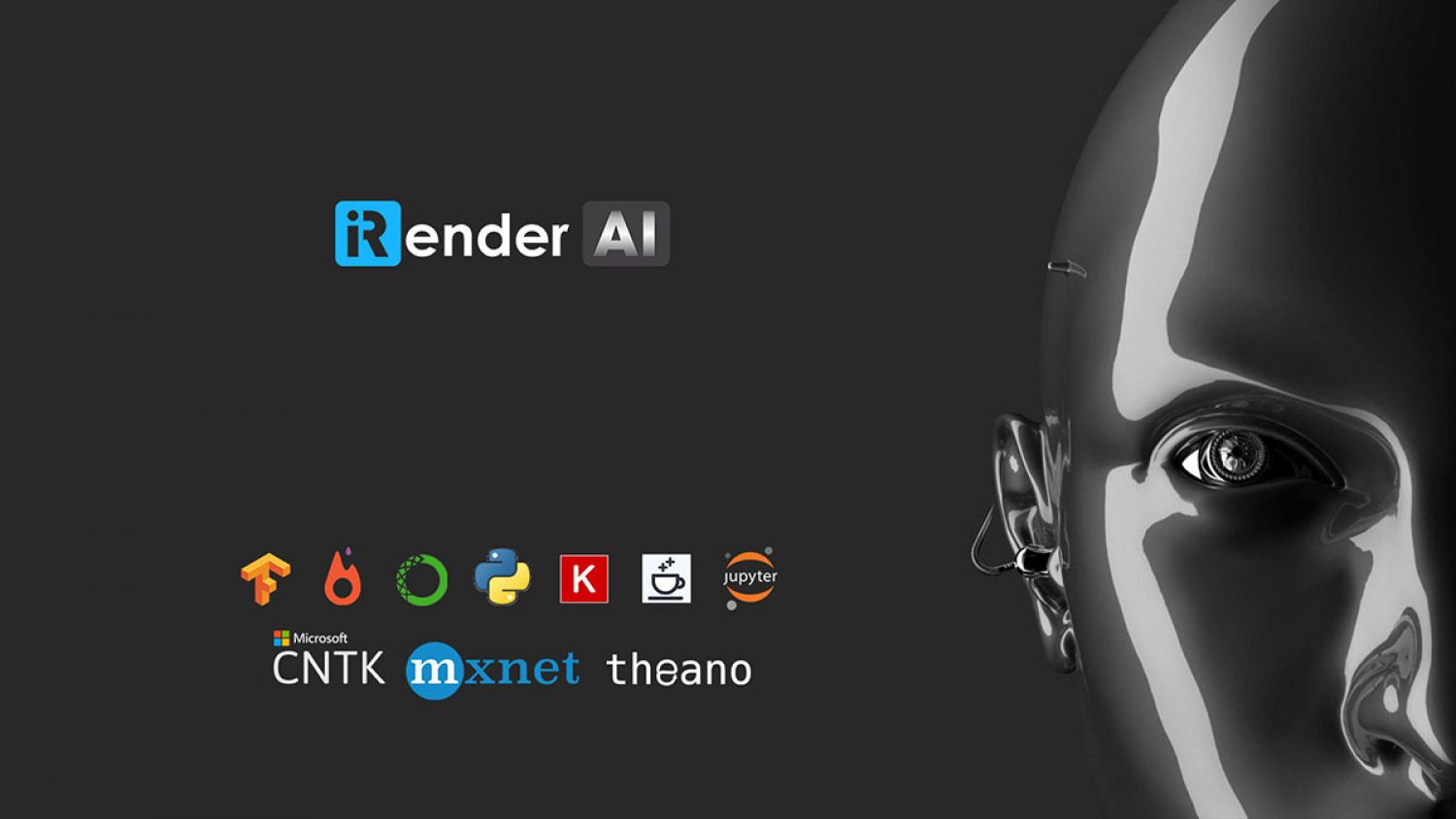
- Dùng trên 3 giờ (Giảm 10%)Chỉ còn : 81.000 VND node/hourLiên hệ ngay để có giá tốt nhất cho các kế hoạch dài hạn tuần/tháng/năm
- SINGLE CARD
- 1xRTX 4090, 24GB vRAM
- NVLink™ : N/A
- NVIDIA CUDA® Cores: 16.384
- GPU Architecture: NVIDIA Ada Lovelace
- AMD Ryzen™ Threadripper™ PRO 3955WX @ 3.9 - 4.2GHz
- RAM: 256 GB
- Storage (NVMe SSD): 2TB
- OS: Windows, Ubuntu
- Power Elite Support 24/07
- iRender Data Center: Đạt tiêu chuẩn quốc tế Uptime Tier 3, chứng nhận bảo mật ISO 27001, vận hành ISO 20000 (ITIL) và quản lý ISO 9001. Toàn bộ máy chủ đặt 100% tại Việt Nam, bảo lưu dữ liệu nội địa, đáp ứng nghiêm ngặt tiêu chuẩn AI Chủ Quyền (Sovereign AI).
- The AI Pipeline: ✓ iRender AI: Kết nối → Toàn quyền Root như PC cục bộ → Run, Deploy & Scale mô hình AI → Ngắt kết nối để tối ưu chi phí.
- Tối ưu cho tác vụ Single-GPU Inference: ComfyUI, Automatic1111, Ollama, vLLM, LM Studio, Jupyter và các mô hình LLM nguồn mở quy mô nhỏ.
- Tặng ngay 100% giá trị nạp lần đầu trong 24 giờ cho thành viên mới
GPU Cloud Workstation 4V
2xRTX 4090, 24GB vRAM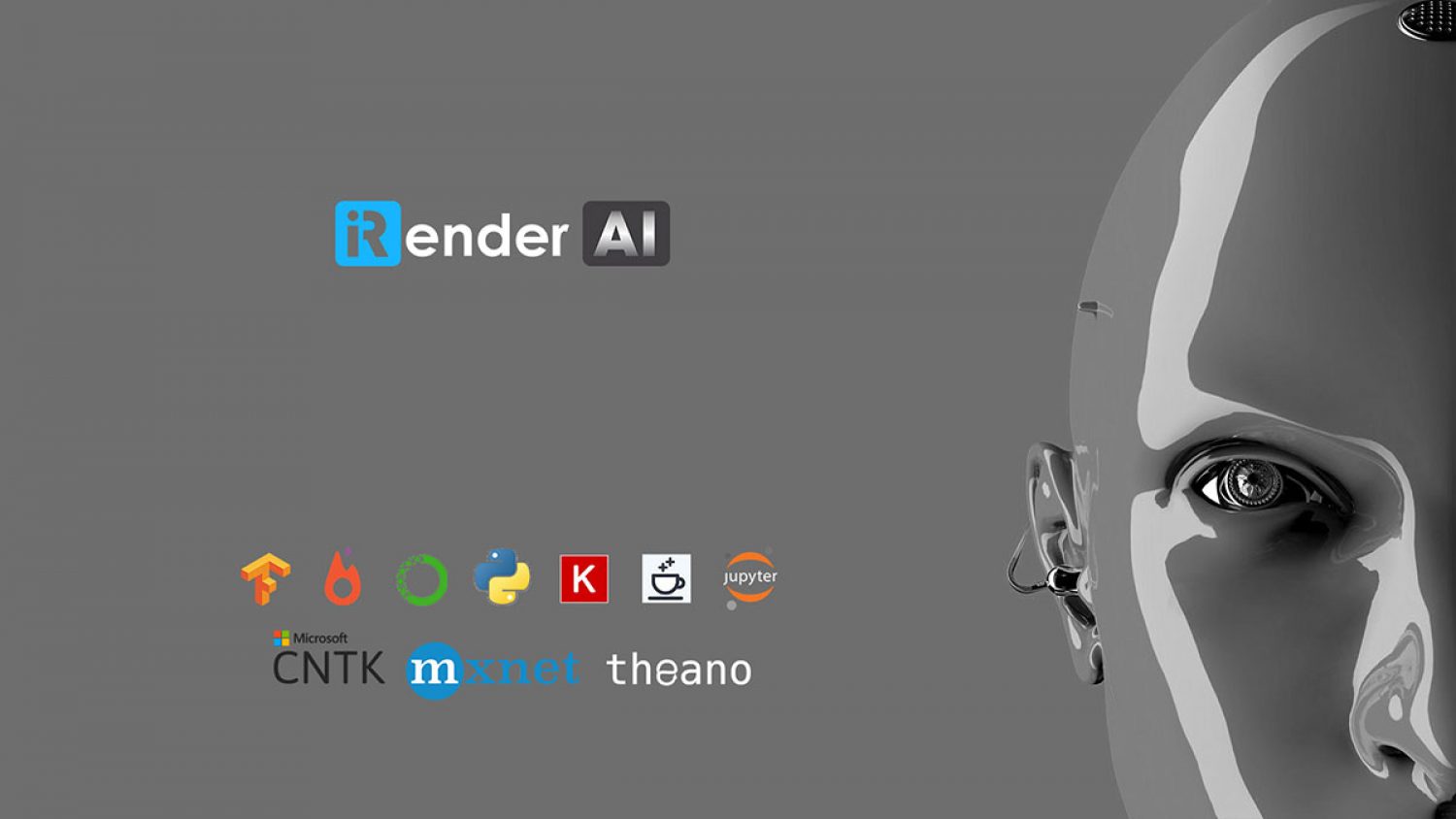
- Dùng trên 3 giờ (Giảm 10%)Chỉ còn : 144.000 VND node/hourLiên hệ ngay để có giá tốt nhất cho các kế hoạch dài hạn tuần/tháng/năm
- MULTI GPU
- 2xRTX 4090, 24 GB vRAM
- NVLink™ : N/A
- NVIDIA CUDA® Cores: 2 x 16.384
- GPU Architecture: NVIDIA Ada Lovelace
- AMD Ryzen™ Threadripper™ PRO 3955WX @ 3.9 - 4.2GHz
- RAM: 256 GB
- Storage (NVMe SSD): 2TB
- OS: Windows, Ubuntu
- Power Elite Support 24/07
- iRender Data Center: Đạt tiêu chuẩn quốc tế Uptime Tier 3, chứng nhận bảo mật ISO 27001, vận hành ISO 20000 (ITIL) và quản lý ISO 9001. Toàn bộ máy chủ đặt 100% tại Việt Nam, bảo lưu dữ liệu nội địa, đáp ứng nghiêm ngặt tiêu chuẩn AI Chủ Quyền (Sovereign AI).
- The AI Pipeline: ✓ iRender AI: Kết nối → Toàn quyền Root như PC cục bộ → Run, Deploy & Scale mô hình AI → Ngắt kết nối để tối ưu chi phí.
- Tối ưu cho tác vụ Multi-GPU Inference & Computer Vision: chạy đa luồng Camera AI, giải mã video OpenCV, xử lý dữ liệu lớn hoặc suy luận các mô hình LLM cỡ trung.
- Tặng ngay 100% giá trị nạp lần đầu trong 24 giờ cho thành viên mới
GPU Cloud Workstation 5V
4xRTX 4090, 24GB vRAM
- Dùng trên 3 giờ (Giảm 10%)Chỉ còn : 270.000 VND node/hourLiên hệ ngay để có giá tốt nhất cho các kế hoạch dài hạn tuần/tháng/năm
- MULTI GPU
- 4xRTX 4090, 24 GB vRAM
- NVLink™ : N/A
- NVIDIA CUDA® Cores: 4 x 16.384
- GPU Architecture: NVIDIA Ada Lovelace
- AMD Ryzen™ Threadripper™ PRO 5975WX @ 3.6 - 4.5GHz
- RAM: 256 GB
- Storage (NVMe SSD): 2TB
- OS: Windows, Ubuntu
- Power Elite Support 24/07
- iRender Data Center: Đạt tiêu chuẩn quốc tế Uptime Tier 3, chứng nhận bảo mật ISO 27001, vận hành ISO 20000 (ITIL) và quản lý ISO 9001. Toàn bộ máy chủ đặt 100% tại Việt Nam, bảo lưu dữ liệu nội địa, đáp ứng nghiêm ngặt tiêu chuẩn AI Chủ Quyền (Sovereign AI).
- The AI Pipeline: ✓ iRender AI: Kết nối → Toàn quyền Root như PC cục bộ → Run, Deploy & Scale mô hình AI → Ngắt kết nối để tối ưu chi phí.
- Tối ưu cho tác vụ Batch Workloads & AI Fine-Tuning: xử lý song song lô dữ liệu lớn, kết xuất Generative AI, chạy các mô phỏng khoa học phân cấp hoặc Fine-tune.
- Tặng ngay 100% giá trị nạp lần đầu trong 24 giờ cho thành viên mới
GPU Cloud Workstation 9V
8xRTX 4090, 24GB vRAM
- Dùng trên 3 giờ (Giảm 10%)Chỉ còn : 504.000 VND node/hourLiên hệ ngay để có giá tốt nhất cho các kế hoạch dài hạn tuần/tháng/năm
- MULTI GPU
- 8xRTX 4090, 24 GB vRAM
- NVLink™ : N/A
- NVIDIA CUDA® Cores: 8 x 16.384
- GPU Architecture: NVIDIA Ada Lovelace
- AMD Ryzen™ Threadripper™ PRO 5975WX @ 3.6 - 4.5GHz
- RAM: 256 GB
- Storage (NVMe SSD): 2TB
- OS: Windows, Ubuntu
- Power Elite Support 24/07
- iRender Data Center: Đạt tiêu chuẩn quốc tế Uptime Tier 3, chứng nhận bảo mật ISO 27001, vận hành ISO 20000 (ITIL) và quản lý ISO 9001. Toàn bộ máy chủ đặt 100% tại Việt Nam, bảo lưu dữ liệu nội địa, đáp ứng nghiêm ngặt tiêu chuẩn AI Chủ Quyền (Sovereign AI).
- The AI Pipeline: ✓ iRender AI: Kết nối → Toàn quyền Root như PC cục bộ → Run, Deploy & Scale mô hình AI → Ngắt kết nối để tối ưu chi phí.
- Tối ưu cho tác vụ Enterprise RAG & Sovereign AI: vận hành hệ thống tri thức nội bộ LlamaIndex, xử lý dữ liệu bảo mật cao trên Vector Database độc lập.
- Tặng ngay 100% giá trị nạp lần đầu trong 24 giờ cho thành viên mới
RTX 5090 : Băng thông gần gấp đôi, giá tăng chút thôi !
Chúng tôi trao tay bạn sức mạnh GPU nguyên bản và sự tự do tuyệt đối !
GPU Cloud Workstation 3iV
1xRTX 5090, 32 GB GDDR7
- Dùng trên 3 giờ (Giảm 10%)Chỉ còn : 108.000 VND node/hourLiên hệ ngay để có giá tốt nhất cho các kế hoạch dài hạn tuần/tháng/năm
- SINGLE CARD
- 1xRTX 5090, 32 GB GDDR7
- VRAM: 32GB GDDR7 (Next-Gen Memory) – Gần gấp đôi băng thông so với RTX 4090
- NVIDIA CUDA® Cores: 21.760
- Tensor / RT Cores: 680 Tensor Cores (5th Gen) | 170 RT Cores (4th Gen)
- GPU Architecture: Blackwell (4N FinFET process)
- AMD Ryzen™ Threadripper™ PRO 3955WX @ 3.9 - 4.2GHz
- RAM: 256 GB
- Storage (NVMe SSD): 2TB
- OS: Windows, Ubuntu
- Power Elite Support 24/07
- iRender Data Center: Đạt tiêu chuẩn quốc tế Uptime Tier 3, chứng nhận bảo mật ISO 27001, vận hành ISO 20000 (ITIL) và quản lý ISO 9001. Toàn bộ máy chủ đặt 100% tại Việt Nam, bảo lưu dữ liệu nội địa, đáp ứng nghiêm ngặt tiêu chuẩn AI Chủ Quyền (Sovereign AI).
- The AI Pipeline: ✓ iRender AI: Kết nối → Toàn quyền Root như PC cục bộ → Run, Deploy & Scale mô hình AI → Ngắt kết nối để tối ưu chi phí.
- Tối ưu cho tác vụ Single-GPU Inference: ComfyUI, Automatic1111, Ollama, vLLM, LM Studio, Jupyter và các mô hình LLM nguồn mở quy mô nhỏ.
- Tặng ngay 100% giá trị nạp lần đầu trong 24 giờ cho thành viên mới
GPU Cloud Workstation 4iV
2xRTX 5090, 32 GB GDDR7
- Dùng trên 3 giờ (Giảm 10%)Chỉ còn : 207.000 VND node/hourLiên hệ ngay để có giá tốt nhất cho các kế hoạch dài hạn tuần/tháng/năm
- MULTI GPU
- 2xRTX 5090, 32 GB GDDR7
- VRAM: 32GB GDDR7 (Next-Gen Memory) – Gần gấp đôi băng thông so với RTX 4090
- NVIDIA CUDA® Cores: 2 x 21.760
- Tensor / RT Cores: 680 Tensor Cores (5th Gen) | 170 RT Cores (4th Gen)
- GPU Architecture: Blackwell (4N FinFET process)
- AMD Ryzen™ Threadripper™ PRO 3955WX @ 3.9 - 4.2GHz
- RAM: 256 GB
- Storage (NVMe SSD): 2TB
- OS: Windows, Ubuntu
- Power Elite Support 24/07
- iRender Data Center: Đạt tiêu chuẩn quốc tế Uptime Tier 3, chứng nhận bảo mật ISO 27001, vận hành ISO 20000 (ITIL) và quản lý ISO 9001. Toàn bộ máy chủ đặt 100% tại Việt Nam, bảo lưu dữ liệu nội địa, đáp ứng nghiêm ngặt tiêu chuẩn AI Chủ Quyền (Sovereign AI).
- The AI Pipeline: ✓ iRender AI: Kết nối → Toàn quyền Root như PC cục bộ → Run, Deploy & Scale mô hình AI → Ngắt kết nối để tối ưu chi phí.
- Tối ưu cho tác vụ Multi-GPU Inference & Computer Vision: chạy đa luồng Camera AI, giải mã video OpenCV, xử lý dữ liệu lớn hoặc suy luận các mô hình LLM cỡ trung.
- Tặng ngay 100% giá trị nạp lần đầu trong 24 giờ cho thành viên mới
GPU Cloud Workstation 5iV
4xRTX 5090, 32 GB GDDR7
- Dùng trên 3 giờ (Giảm 10%)Chỉ còn : 405.000 VND node/hourLiên hệ ngay để có giá tốt nhất cho các kế hoạch dài hạn tuần/tháng/năm
- MULTI GPU
- 4xRTX 5090, 32 GB GDDR7
- VRAM: 32GB GDDR7 (Next-Gen Memory) – Gần gấp đôi băng thông so với RTX 4090
- NVIDIA CUDA® Cores: 4 x 21.760
- Tensor / RT Cores: 680 Tensor Cores (5th Gen) | 170 RT Cores (4th Gen)
- GPU Architecture: Blackwell (4N FinFET process)
- AMD Ryzen™ Threadripper™ PRO 5975WX @ 3.6 - 4.5GHz
- RAM: 256 GB
- Storage (NVMe SSD): 2TB
- OS: Windows, Ubuntu
- Power Elite Support 24/07
- iRender Data Center: Đạt tiêu chuẩn quốc tế Uptime Tier 3, chứng nhận bảo mật ISO 27001, vận hành ISO 20000 (ITIL) và quản lý ISO 9001. Toàn bộ máy chủ đặt 100% tại Việt Nam, bảo lưu dữ liệu nội địa, đáp ứng nghiêm ngặt tiêu chuẩn AI Chủ Quyền (Sovereign AI).
- The AI Pipeline: ✓ iRender AI: Kết nối → Toàn quyền Root như PC cục bộ → Run, Deploy & Scale mô hình AI → Ngắt kết nối để tối ưu chi phí.
- Tối ưu cho tác vụ Batch Workloads & AI Fine-Tuning: xử lý song song lô dữ liệu lớn, kết xuất Generative AI, chạy các mô phỏng khoa học phân cấp hoặc Fine-tune.
- Tặng ngay 100% giá trị nạp lần đầu trong 24 giờ cho thành viên mới
GPU Cloud Workstation 9iV
8xRTX 5090, 32 GB GDDR7
- Dùng trên 3 giờ (Giảm 10%)Chỉ còn : Coming soonLiên hệ ngay để có giá tốt nhất cho các kế hoạch dài hạn tuần/tháng/năm
- MULTI GPU
- 8xRTX 5090, 32 GB GDDR7
- VRAM: 32GB GDDR7 (Next-Gen Memory) – Gần gấp đôi băng thông so với RTX 4090
- NVIDIA CUDA® Cores: 8 x 21.760
- Tensor / RT Cores: 680 Tensor Cores (5th Gen) | 170 RT Cores (4th Gen)
- GPU Architecture: Blackwell (4N FinFET process)
- AMD Ryzen™ Threadripper™ PRO 5975WX @ 3.6 - 4.5GHz
- RAM: 256 GB
- Storage (NVMe SSD): 2TB
- OS: Windows, Ubuntu
- Power Elite Support 24/07
- iRender Data Center: Đạt tiêu chuẩn quốc tế Uptime Tier 3, chứng nhận bảo mật ISO 27001, vận hành ISO 20000 (ITIL) và quản lý ISO 9001. Toàn bộ máy chủ đặt 100% tại Việt Nam, bảo lưu dữ liệu nội địa, đáp ứng nghiêm ngặt tiêu chuẩn AI Chủ Quyền (Sovereign AI).
- The AI Pipeline: ✓ iRender AI: Kết nối → Toàn quyền Root như PC cục bộ → Run, Deploy & Scale mô hình AI → Ngắt kết nối để tối ưu chi phí.
- Tối ưu cho tác vụ Enterprise RAG & Sovereign AI: vận hành hệ thống tri thức nội bộ LlamaIndex, xử lý dữ liệu bảo mật cao trên Vector Database độc lập.
- Tặng ngay 100% giá trị nạp lần đầu trong 24 giờ cho thành viên mới
AI Insights
AI/DeepLearning & Khám phá những chuyển động mới.